After Mealime
Pick up your dinner routine where Mealime left off.
Mealime's app closed in October. Bring the dinners you already cook into MealPlanned, plan your week and get one shopping list for everyone at home.
Free for 14 days, no card needed. After that, keep using it for free or upgrade.
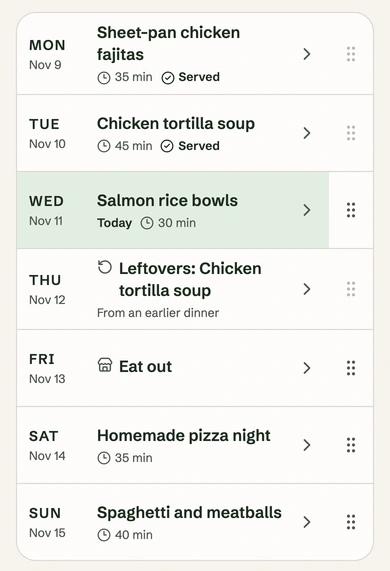
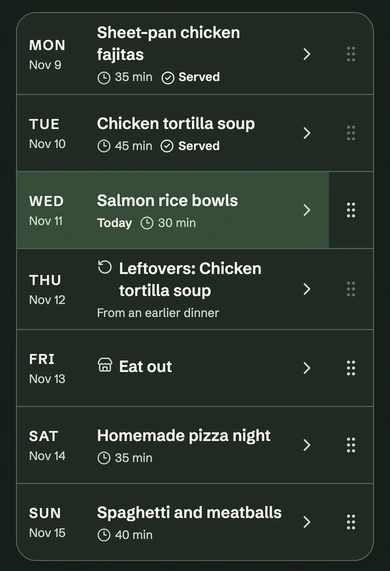
From your recipes to a planned week
Bring your recipes in, then plan your week.
Start with the recipes you still have, in notes, screenshots, PDFs or a spreadsheet. Add one or bring in many at once.
Step 1
Bring your recipes in.
Paste a recipe, add PDFs or upload a spreadsheet, up to 50 recipes at a time. With Premium you can also add photos and screenshots of recipes. Check each one before you save it, and only save recipes you're allowed to keep.
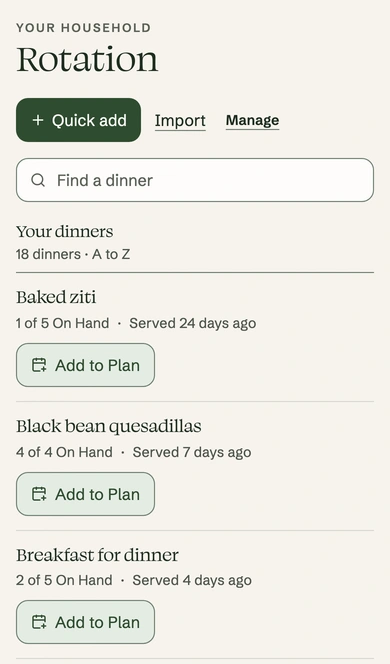
Saved dinners in a sample account, each ready to add to a night. Step 2
Plan your week and shop.
Once your recipes are saved, MealPlanned can suggest a week of dinners from them. Change any night, then save it. Your shopping list fills in from those dinners and shows which dinner and day each item is for.
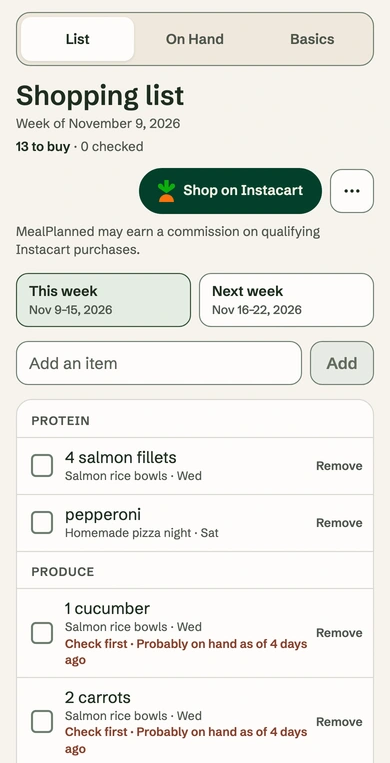
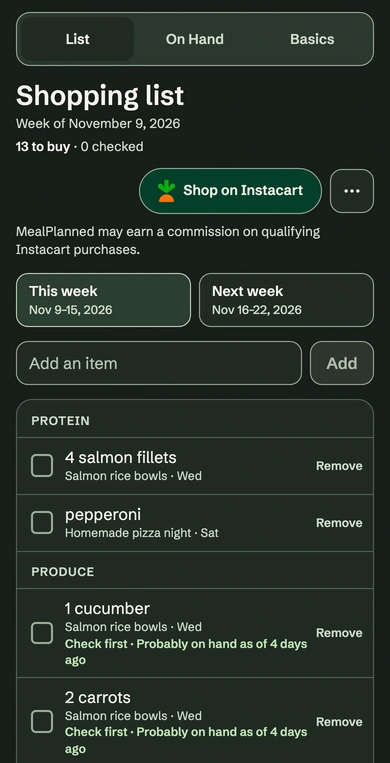
A sample shopping list: each item shows the dinner and day it's for.
What to know about Mealime closing
Mealime announced that its app would be discontinued on October 21, 2026. Mealime says its recipes continue in Meals Hub in Albertsons Companies grocery apps, and that personal data is deleted when the app shuts down. Read Mealime’s announcement.
Checked November 10, 2026.
What you can do here
Bring in the dinners you cook from text, PDFs, spreadsheets or photos. Save old recipe links as private reminders while you track down the recipe.
What doesn't come with you
MealPlanned is independent from Mealime. Your Mealime account, settings, saved plans and Mealime's recipe collection can't move here, and MealPlanned can't open Mealime links.
What kinds of recipes can I add?
Up to 50 at a time. Paste the text, add a PDF with text you can select (up to 10 pages) or upload a spreadsheet saved as a CSV file (up to 50 rows). Premium also reads photos. Use one recipe per photo or PDF. If a file doesn't work, you can type the recipe in. Only save recipes you're allowed to keep.
Give your dinners a new place to live.
Try MealPlanned free for 14 days, no card needed. After that, you can keep every dinner you've saved and plan and shop for this week and next for free.